Share a device-like preview of your app before going live.
Preview Deployment Features
Everything you need to demo and validate your app before production:
Platform Tabs
Choose WEB, SMARTPHONE, PC, or SERVER. Web is optimized for shareable links and embeds.
Preview Plan ($15/mo)
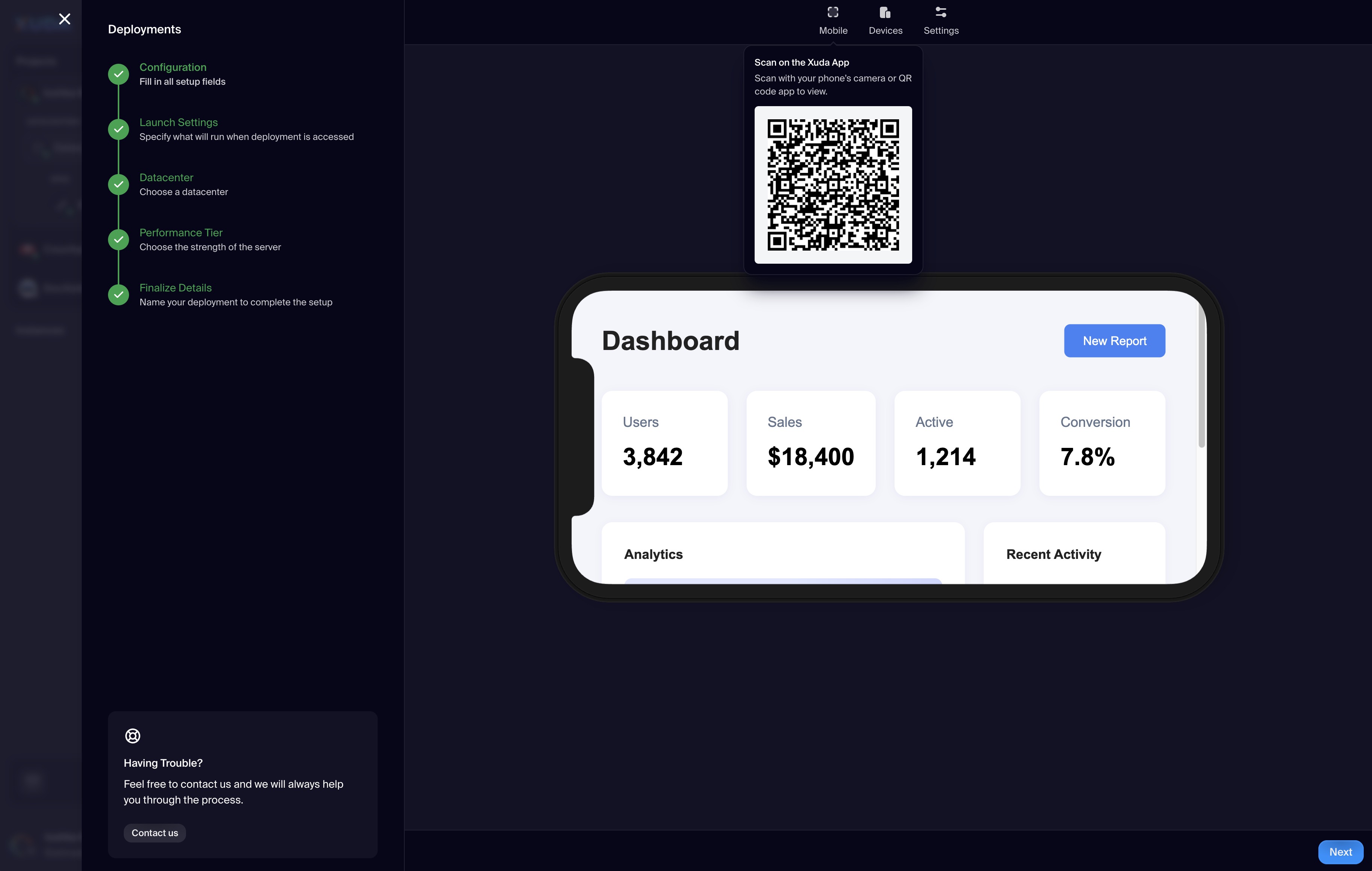
Generates a shareable link that simulates your app in a device-like environment—perfect for demos and QA.
Other Web Options
SPA (Free), Embed (Free), PWA ($15/mo), User Group ($35/mo), MPA (Free) are available as alternatives to Preview.
Device Simulator
Preview renders inside a phone frame with quick access to Mobile, Devices, and Settings controls.
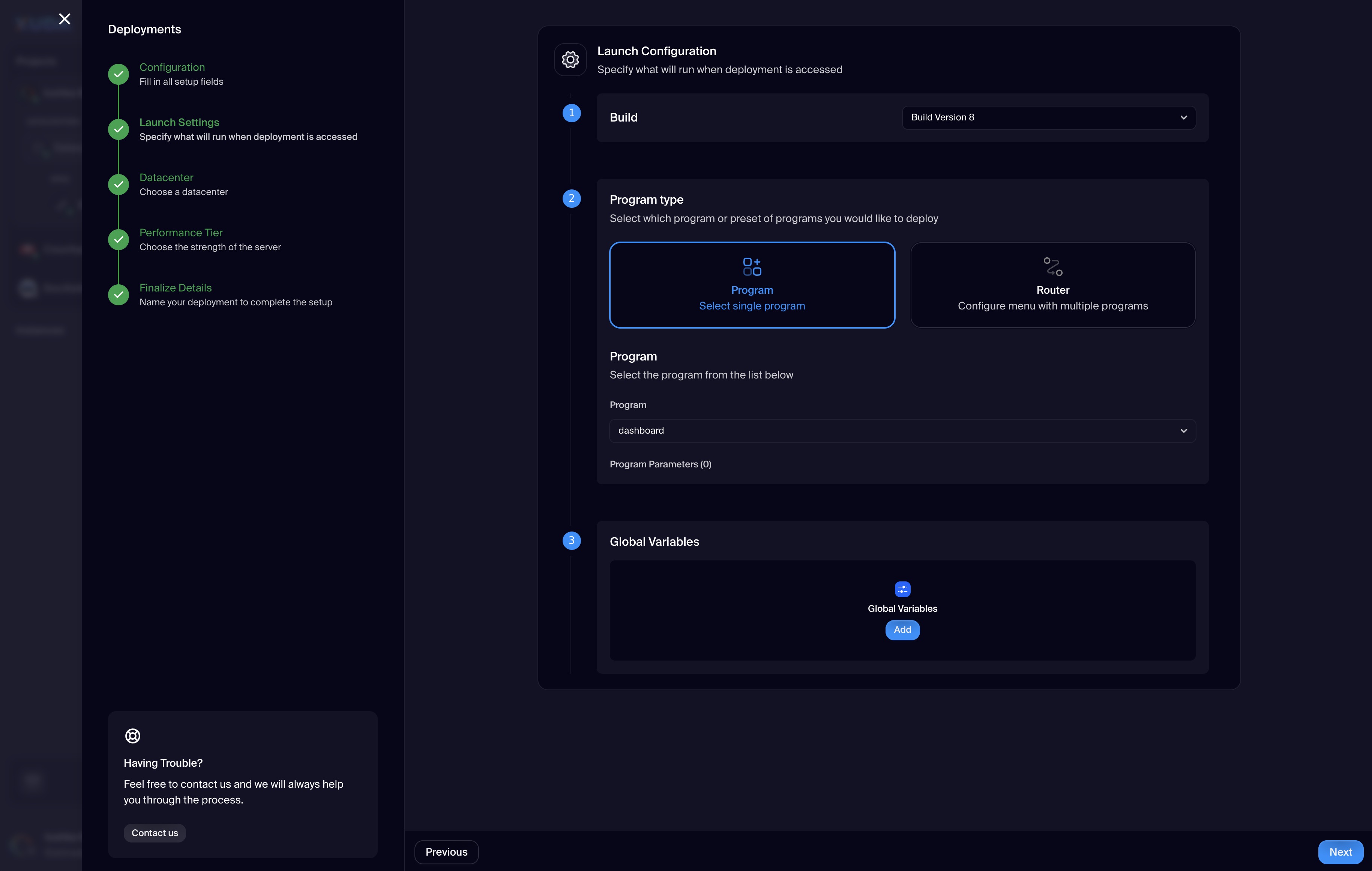
Launch Configuration
Select Build version, choose Program or Router, pick your program, pass parameters, and set Global Variables.
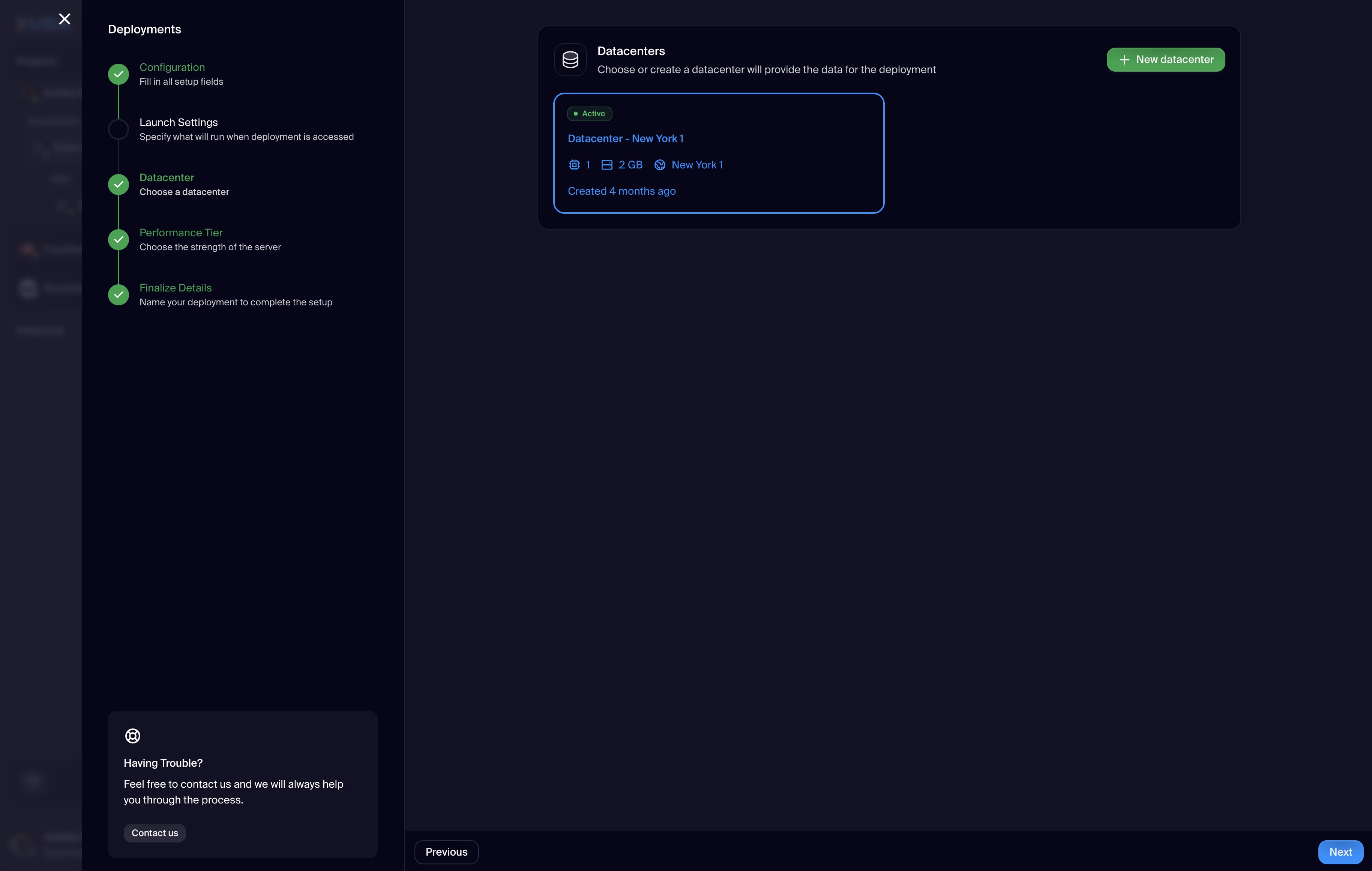
Datacenter Linking
Attach an existing datacenter (status, resources, region shown) or create a new one.
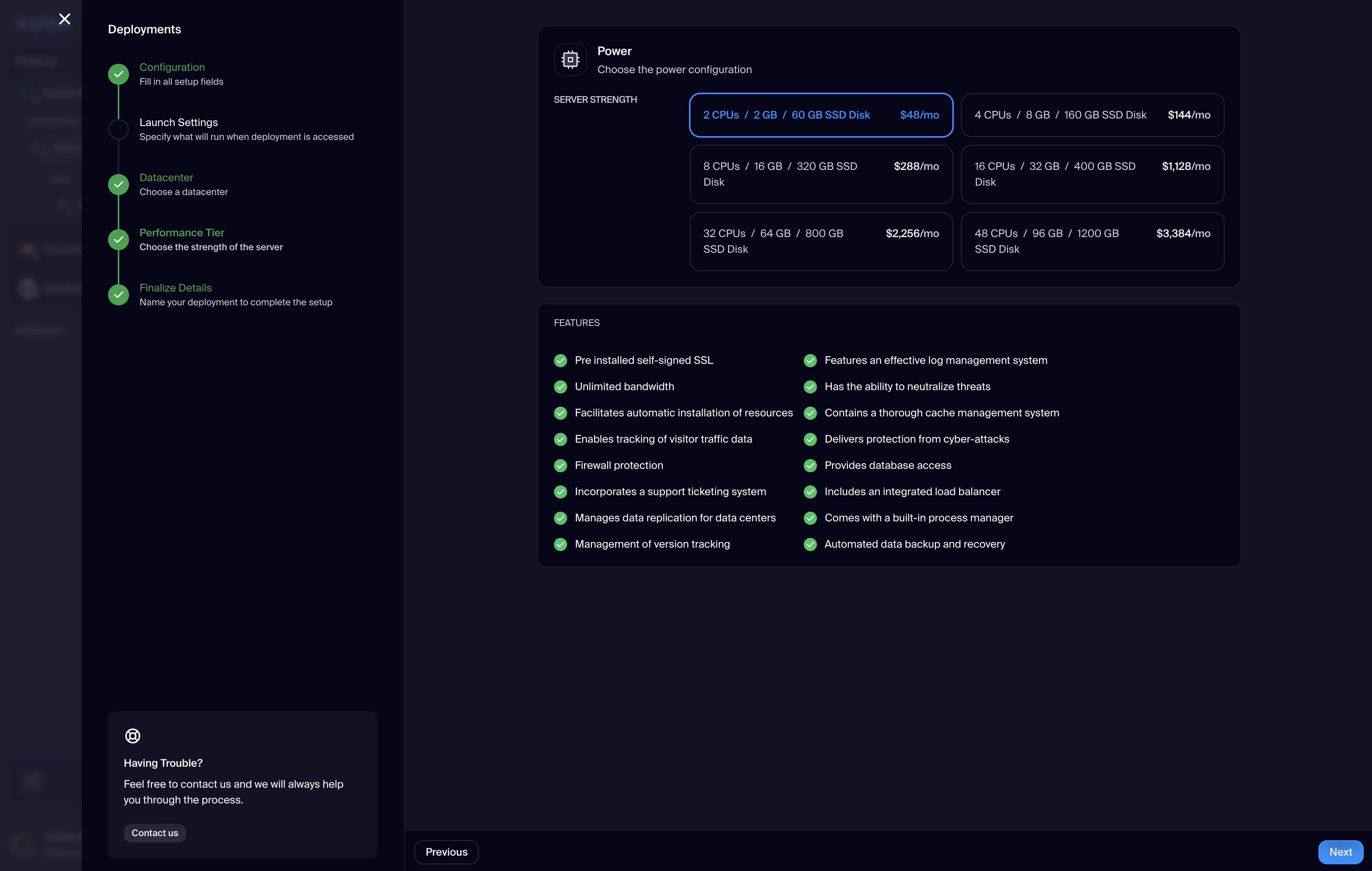
Performance Tier
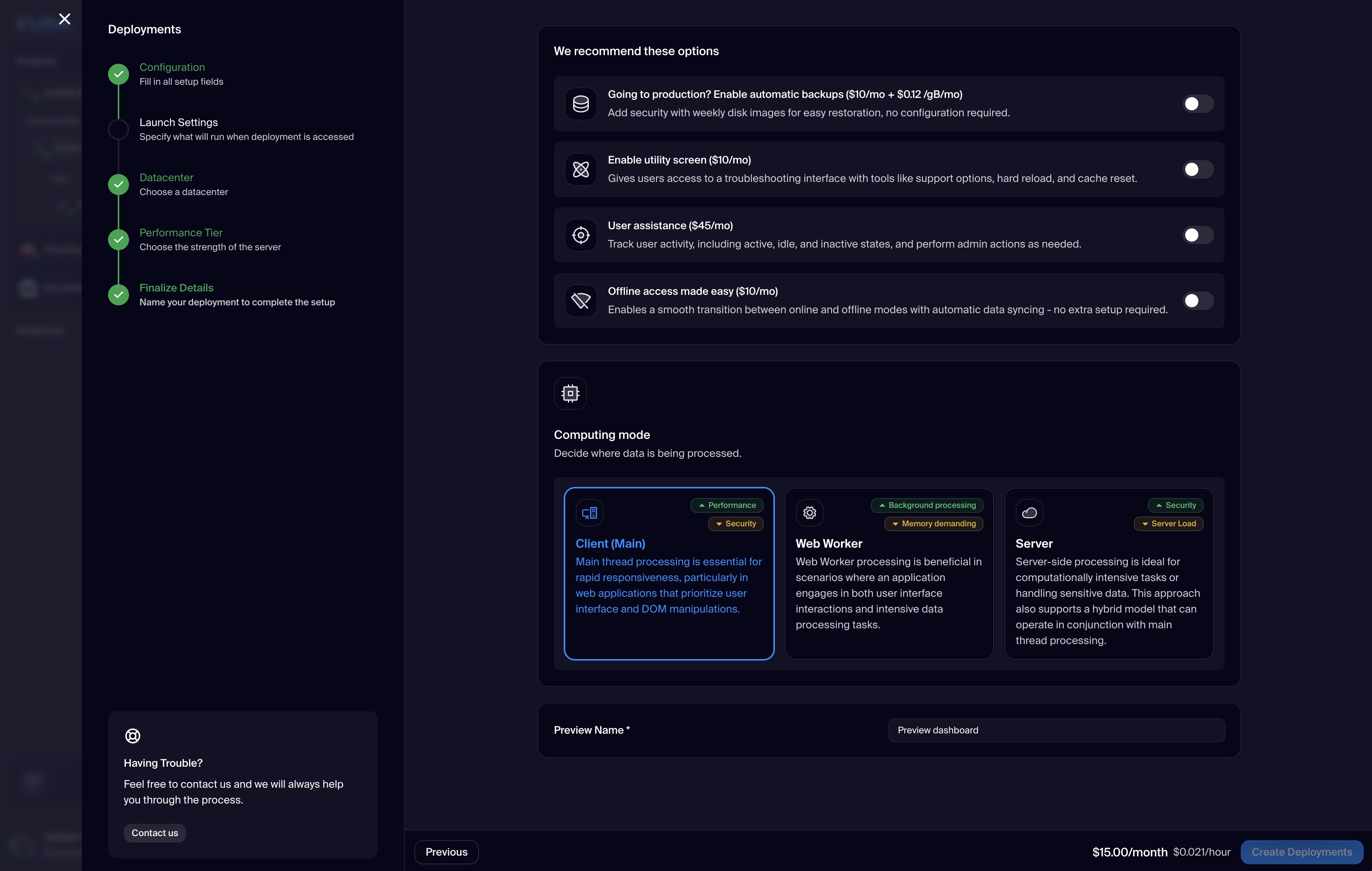
Pick CPU/RAM/SSD tiers. A feature checklist highlights SSL, bandwidth, firewall, replication, logging, cache, load balancer, backups, and more.
Recommended Options
Enable: Automatic Backups ($10/mo + $0.12/GB/mo), Utility Screen ($10/mo), User Assistance ($45/mo), Offline Access ($10/mo).
Computing Mode
Choose where code runs: Client (Main), Web Worker, or Server—each with guidance badges (Performance, Security, Background processing).
Preview Name & Actions
Provide a Preview Name (required) and use the context action (e.g., “Preview Contact Form”) before creating.
Cost & Create
Footer shows live pricing (e.g., $15.00/month, $0.021/hour) with a single primary action: Create Deployments.
Stepper & Support
Left stepper tracks progress; persistent ‘Having Trouble?’ card provides quick access to support.
Xuda is the platform for frontend developers, providing the speed and reliability innovators need to create at the moment of inspiration.